
BITGET Referral Change (US) – TraderX_KR
2026. 3. 22. 13:06
반응형
BITGET Referral Change (US) – TraderX_KR Guide
Looking to switch your BITGET referral and get better benefits? Follow this simple step-by-step guide to move your account to the TraderX_KR referral.
Step 1: Transfer Your Assets
Move all funds from your current BITGET account to another exchange or wallet.
Important: Your account balance must be 0 before closing.
Step 2: Close Your Existing BITGET Account
- Log in to your KYC-verified account
- Tap the menu icon (top-left)
- Go to your profile
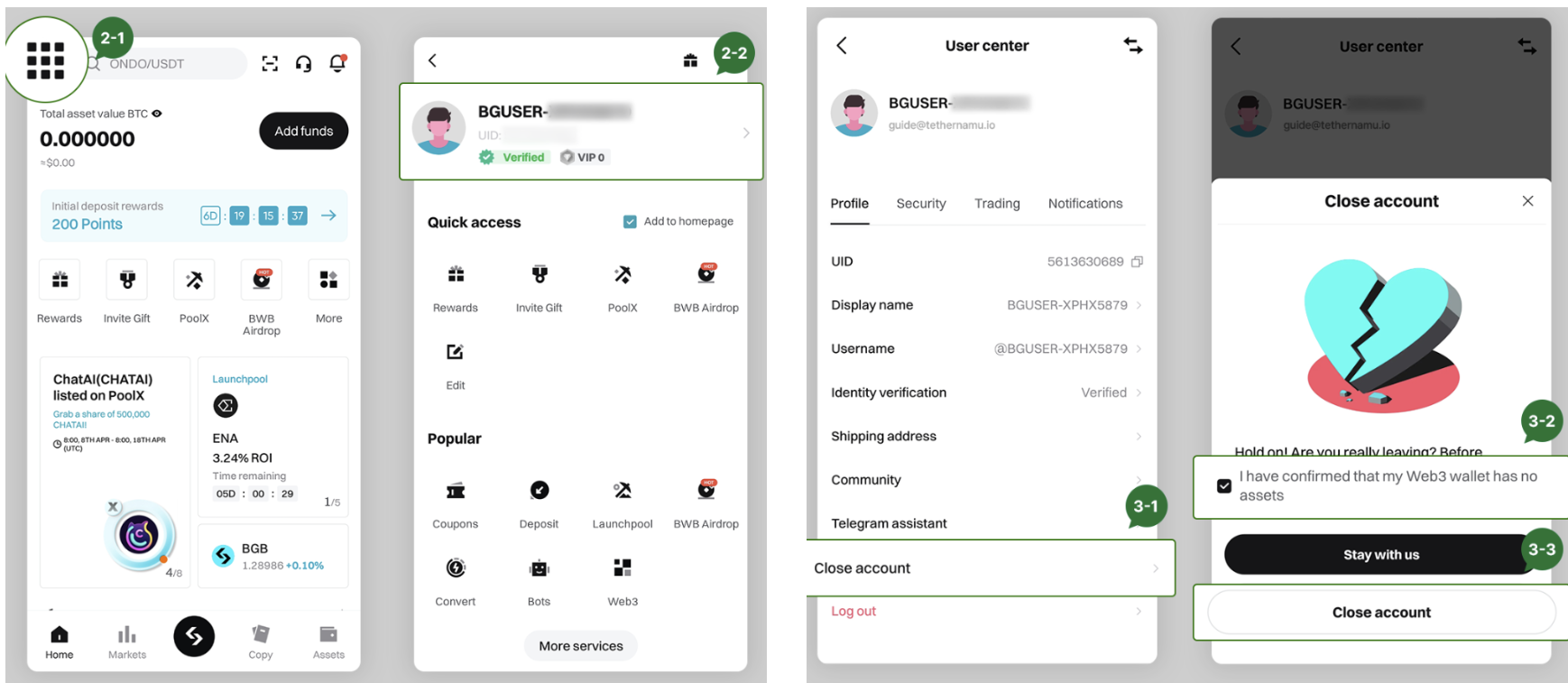
- Select Close Account
- Check “I understand” → Next
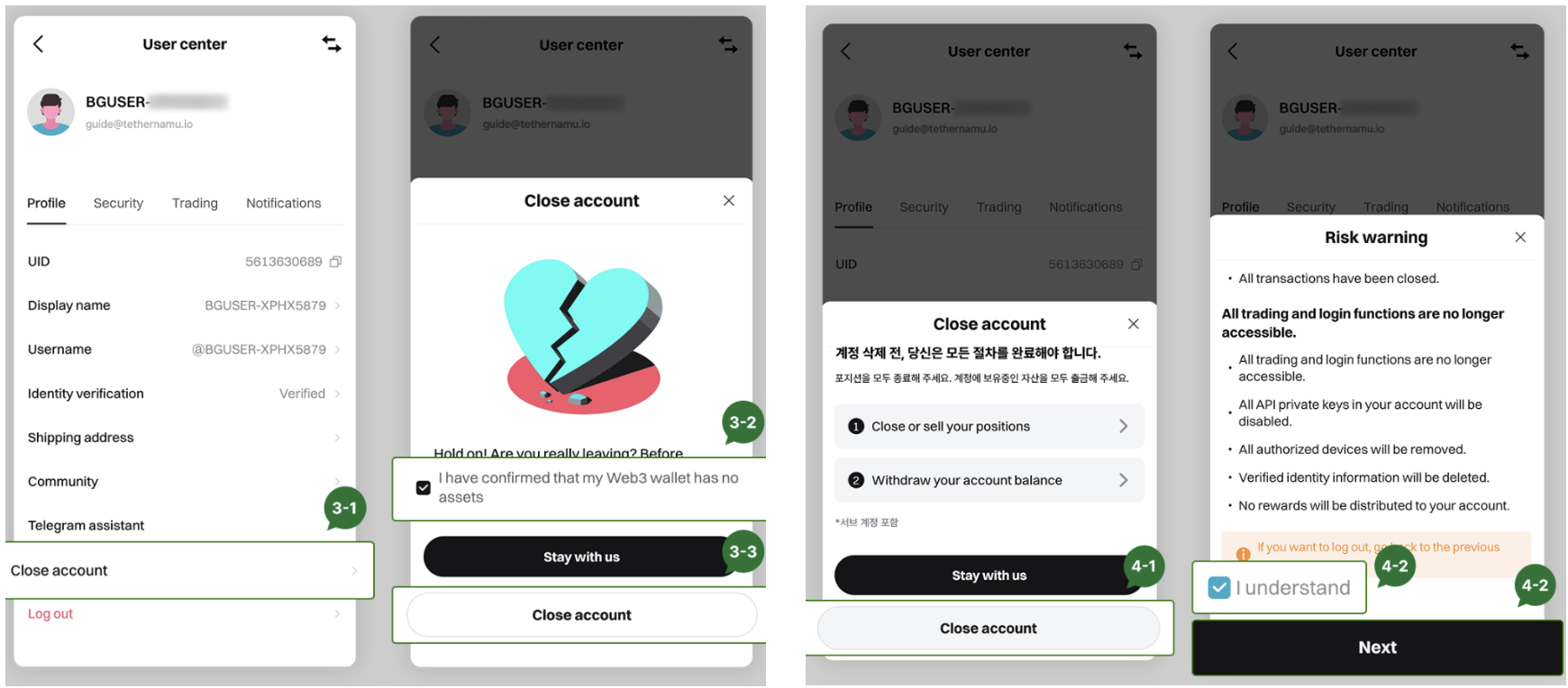
- Complete email + Google authentication
Step 3: Register with TraderX_KR Referral
Referral Link:
https://partner.bitget.com/bg/lovelywoo
Need Help?
If you have any issues during the process, contact support:
Final Thoughts
To change your BITGET referral, transfer assets, close your account, and re-register using the new link. Follow each step carefully to avoid issues.
Start here:
https://partner.bitget.com/bg/lovelywoo
반응형
'Referral' 카테고리의 다른 글
| BITGET Exchange Sign Up (US) (0) | 2026.03.22 |
|---|---|
| 비트겟 거래소 회원가입 (KR) (0) | 2025.03.19 |
| 비트겟 레퍼럴 변경 (KR) - TraderX_KR (0) | 2025.03.19 |